
The file arrives.
Prepress drops files in a watched folder. ColorConnect rebuilds the color preview, separation by separation, and calculates the ink coverage of each plate.

The print shop portal for offset and flexo pressrooms. It prepares each job and follows production live, in your browser.
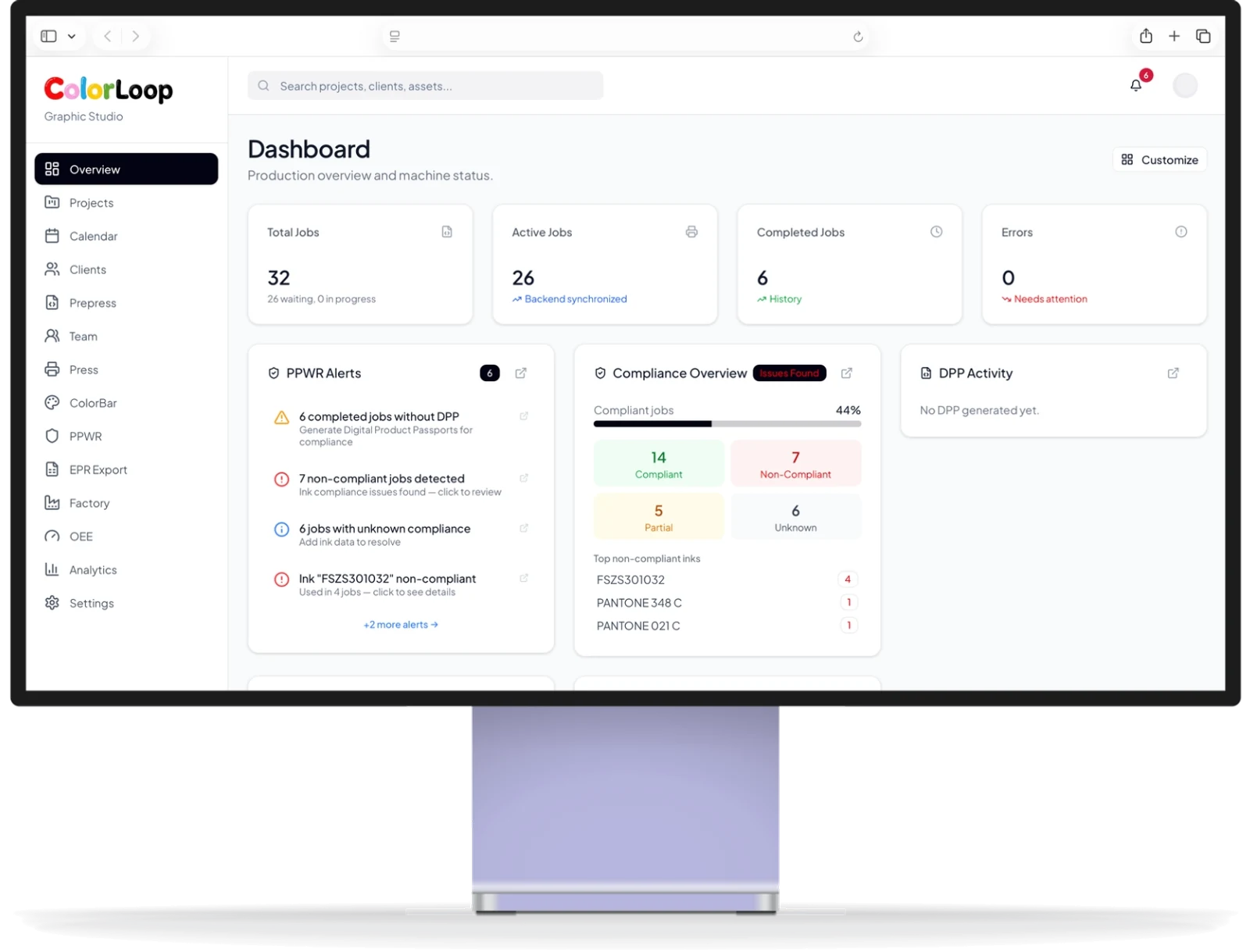
From the prepress folder to the press, the shop floor screen and your customer.
Files dropped in a folder become jobs, with preview and ink coverage.
Scheduled on an offset or a flexo press. Nothing to retype.
Presets the ink keys, then corrects after each measurement.
Status, output and alerts on one screen. Color grades from ColorLoop presses.
Performance in any browser. Customers follow their jobs through a secure link.
Prepress files arrive. Files dropped in a folder become jobs, with preview and ink coverage.
Prepress drops files in a watched folder. ColorConnect rebuilds the color preview, separation by separation, and calculates the ink coverage of each plate.
Assigned to a press and a date, it appears on the production calendar.
The operator finds the same job, ready, in ColorLoop. Nothing to retype.
Status, speed, sheets and color quality, press by press.
A customer portal through a secure link, without creating an account.
Prepress drops files in a watched folder. ColorConnect rebuilds the color preview, separation by separation, and calculates the ink coverage of each plate.
Assigned to a press and a date, it appears on the production calendar.
The operator finds the same job, ready, in ColorLoop. Nothing to retype.
Status, speed, sheets and color quality, press by press.
A customer portal through a secure link, without creating an account.
Illustration. Connected presses and modules depend on your installation; flexo connections are confirmed during the project.
The technology at each press, and how it connects.
Measured sheets, how fast the color reached tolerance, the average color deviation and the A to E grade given by ColorLoop.
Grades come only from presses equipped with ColorLoop.
ColorLoop grades the job at the press. ColorConnect keeps the grade and the color history with the job, so the whole team sees them.
Learn how a grade is builtColorConnect already knows the inks, stocks and quantities of each job. It helps you prepare the evidence your customers and the regulation ask for.
Inks, recycled content and recyclability, from the job’s own data.
A brand or a consumer scans it to see the composition and traceability of the packaging.
Prepared per production site, from the quantities you produced.
ColorConnect helps you prepare evidence. It does not certify. Modules, source data and applicable obligations are reviewed for your use case.
About the EU packaging regulationBegin with job preparation and your presses. Turn on performance or compliance when you need them.
Modules depend on your license. We confirm the scope during a demo.
Explore plans and pricingIt runs on a Windows workstation or server in your shop and opens in a web browser.
For a small shop, it can also run on a press PC.
Production files and customer data stay in your print shop.
Accounts, roles and rights for each user.
English, French, German, Spanish, Portuguese, Italian, Chinese and Thai.
Cyber Resilience Act: reporting obligations since September 11, 2026. Main obligations from December 11, 2027. Applicability depends on the product and each party’s role. This is not a statement of certification.
Read the European Commission overviewNo. ColorLoop presets and corrects the ink on sheetfed offset presses. ColorConnect prepares the jobs and brings the production data back to your team.
ColorConnect prepares flexo jobs from the same prepress files and puts them on the production calendar. Connections are confirmed for your presses during the project.
No. It helps you prepare the evidence your customers and the regulation ask for, from the data your production already creates. Compliance modules depend on your license.
A Windows workstation or server in the print shop, prepress files dropped in a folder as today, and a web browser on the workstations that need it. Live production views need presses equipped with ColorLoop.
ColorConnect is installed in your print shop. Your production files and customer data stay in your shop.
8 languages: English, French, German, Spanish, Portuguese, Italian, Chinese and Thai.
Modules depend on your license. We confirm the scope during a demo.
Is your press ready for ColorLoop? Send four photos of your console from your phone. It is free, takes about two minutes and commits you to nothing.
On your phone, at the press.
Click or scan to start your check.The whole console, inside its cabinet, the ink-key count, the machine plate.
Rutherford tells you within one business day whether your press is ready.
Then order your ColorLoop. Available worldwide. Compatible consoles include Heidelberg, Komori, Koenig & Bauer, Manroland, Mitsubishi, Ryobi, Goss and Presstek. Questions? contact@rutherford.fr